SpringBoot Actuatorとは
SpringBootアプリケーションを監視および管理するのための機能。
機能を有効にするための設定方法は、spring-boot-starter-actuatorの「スターター」への依存関係を追加することです。
-
Maven ベースのプロジェクト
<dependencies> <dependency> <groupId>org.springframework.boot</groupId> <artifactId>spring-boot-starter-actuator</artifactId> </dependency> </dependencies> -
Gradle の場合、
dependencies {
    implementation 'org.springframework.boot:spring-boot-starter-actuator'
}
Endpoints
分類
- built-in endpoints
- configure (for example :health)
- metric(for example : metric,)
- other (for example: trace,shutdown)
- customize endpoints
endpointsのアクセス方法
- HTTP
- GETで取得する、POSTで変更する
- curl -XGET localhost:8080/actuator/health
- curl -XPOST localhost:8080/actuator/loggers/org.springframe -H ‘Content-Type: application/json’ -d ‘{“configuredLevel”:“DEBUG”}’
- GETで取得する、POSTで変更する
- JMX
endpoints有効・無効の設定
management:
  server:
    port: 8808  //default applicationと同じport, Actuatorのみportを分けることも可能です。
                //port: -1:HTTP 経由でエンドポイントを公開したくない
    address: "127.0.0.1" //リモード接続不可
  endpoints:
    shutdown:
      enabled: true //shutdown endpoint有効にする
    web:
      base-path: /manage   //default /actuator
      exposure:
        include: '*'    // default /healthと/infoのみ公開
        exclude: env  // /endpoint除外する
  endpoint:
    health:
      show-details: ALWAYS
endpointのカスタマイズ
カスタマイズ方法
-
新規作成
@Component @WebEndpoint(id = "custom") // localhost:8080/actuator/customでアクセスする public class CustomEndpoint { @ReadOperation public Map<String,String> readEndPoint() { Map<String,String> point = new ConcurrentHashMap<>(); point.put("name","customEndpoint"); point.put("now time is:", LocalDateTime.now().format(DateTimeFormatter.ofPattern("yyyy-MM-dd HH:mm:ss"))); return point; } } -
既存endpointの拡張
- implements XXXContributor ex: /info endpointを拡張したい場合、
- public class CustomInfoContributor implements InfoContributor{}
- implements XXXContributor ex: /info endpointを拡張したい場合、
開発に役に立つendpoint
- env
- Enviromentオブジェクトに登録されているプロパティの値を一覧で確認することができます。
- 動作環境によって設定値を切り替えている環境などでは正常に切り替わっているか確認することができます。
注意設定値にIPアドレスやユーザー / パスワードなどの情報を含んでいる可能性があることです。
- mappings
@RequestMappingで定義しているアクセスポイントを一覧で確認することができます。
- loggers
- アプリケーションが再起動せずに、グレベルの確認・変更が可能です。
- curl -XPOST localhost:8080/actuator/loggers/org.springframe -H ‘Content-Type: application/json’ -d ‘{“configuredLevel”:“DEBUG”}’
- アプリケーションが再起動せずに、グレベルの確認・変更が可能です。
Actuatorの本番環境適用
エンドポイントの保護
-
アップリケーションが公開されている場合は、エンドポイントの保護が必要です。
-
/actuatorのみ保護する.pathMatchers("/actuator/**") .hasAuthority("ROLE_ADMIN")
-
-
Spring Securityモジュールを導入する.(pom.xml or build.gradleの設定を略する) -
認証
public class CustomAuthenticationProvider implements AuthenticationProvider
-
Whitelist IP Range
http.authorizeRequests().antMatchers("/actuator/**").access(whiteIpList)
最後
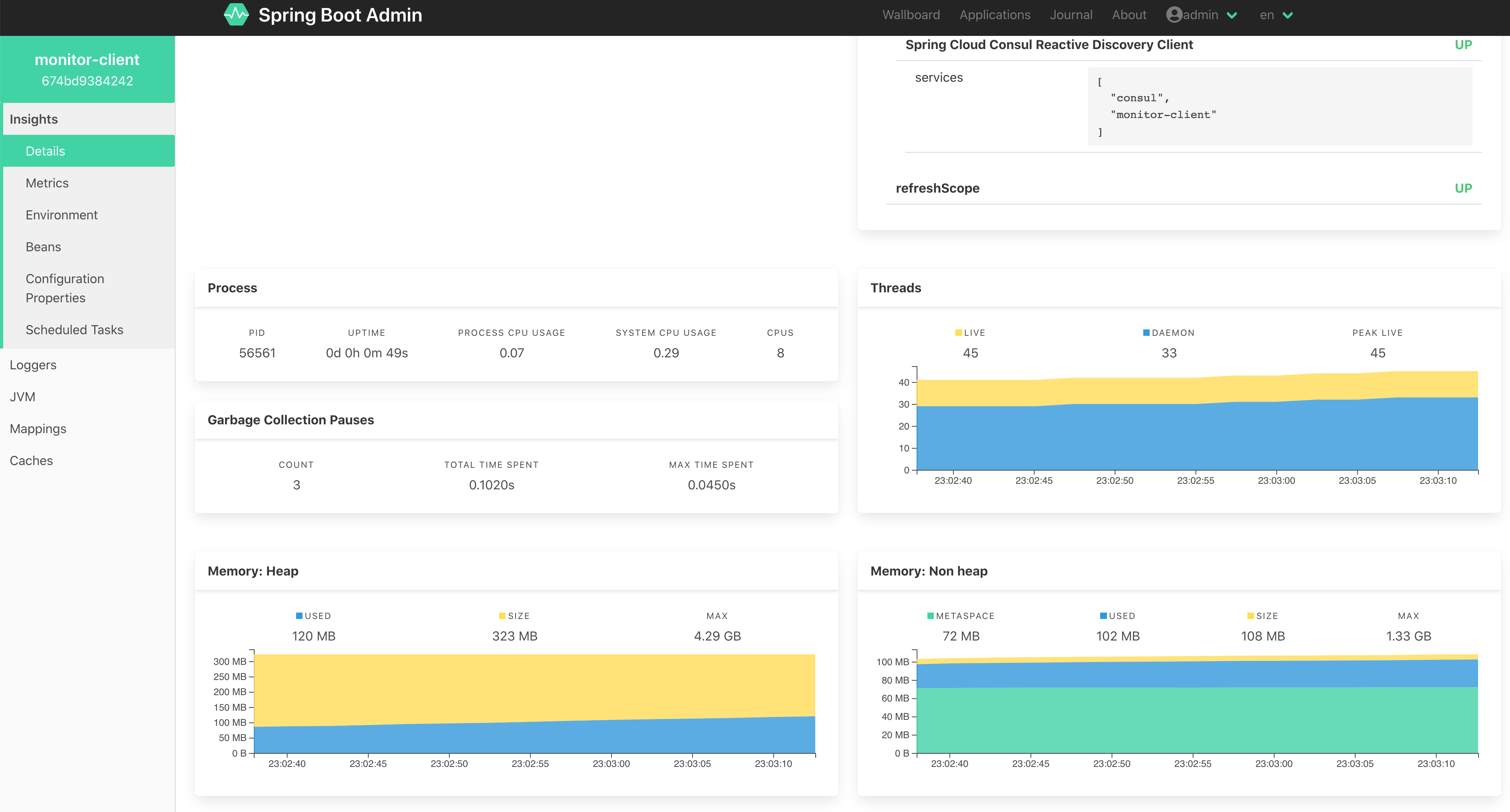
Spring Boot AdminでUIで管理できます。